
How OSSCRM actually works
Ten screens, in the order the product walks you through them. Set up the first four and it can already find leads and email them; turn on the tenth and it does the whole loop without you.
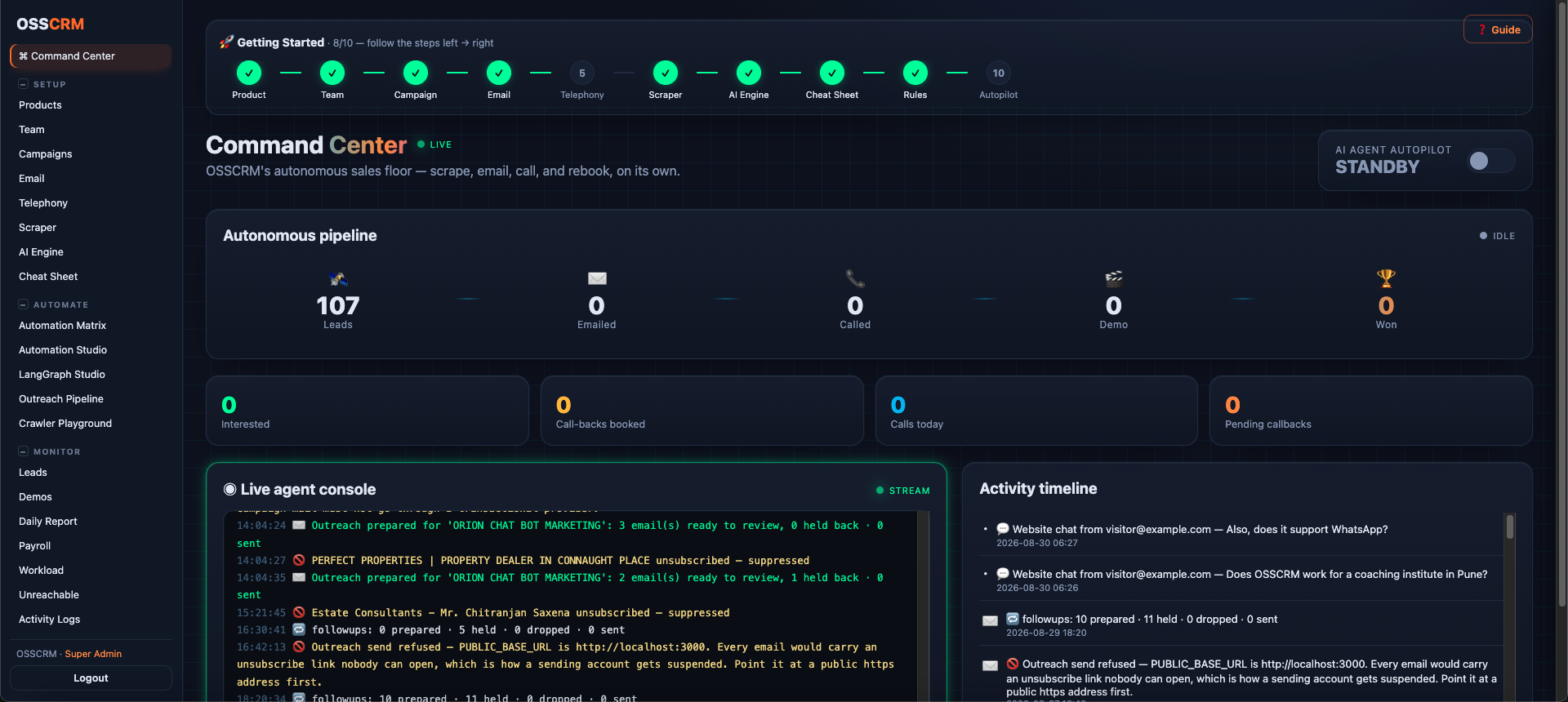
The whole workflow, screen by screen
These are the ten steps OSSCRM walks a new workspace through, in order. Pick any one.
Tell it what you sell
Paste your website and OSSCRAWLER reads it — About, Home, Footer, Contact, Pricing, Terms and Privacy — then the Product Analyst writes the description every lead will be scored against. You can also just type it yourself.
What happens in this step
- 1Paste your product URL and press Analyze with OSSCRAWLER
- 2The analyst runs live, node by node, and you watch it work
- 3Name, price in ₹ and $, add-on, trial offer, target audience and a one-line pitch
- 4The description it writes is the yardstick every lead is measured against
What you get
It finds the leads itself
Most CRMs are an empty form waiting for you to fill it. OSSCRM crawls business listings and company websites, reads what each business actually does, and writes that description onto the lead — so the pipeline starts full instead of empty.
AI qualification, scored against your product
Every lead is scored against a profile built from your own website: what you sell, who it suits, who it does not. A verdict of PASS means this business looks like your customer — not that it matched a keyword.
Campaigns that argue their own case
Outreach copy is written per segment from the product profile, so a coaching centre and a real-estate agency do not receive the same paragraph. You read every email before it goes.
Follow-ups that know when to stop
Clicked but went quiet, never opened, asked to buy — each gets a different second email. After three, the lead is dropped with a written reason and never contacted again.
One-click unsubscribe, honoured permanently
Every campaign email carries a real unsubscribe link and the List-Unsubscribe header Gmail requires. An opt-out is checked before the next email is even written, so a suppressed lead cannot be mailed by accident.
Bring your own email provider
Connect your own Brevo, Amazon SES, Netcore or SMTP account. The credential is yours, the sending reputation is yours, and your mail never queues behind another company's.
Watch the automation run
Every pipeline run is visible node by node as it happens — which lead, which step, how long. When something goes wrong you can see where, instead of reading a log afterwards.
Live in ten minutes
No installation, no consultant, no six-week onboarding. Sign in, paste your product URL, point it at a market, and the first qualified leads are in your pipeline the same morning.
Ready to stop filling in your CRM?
Seven days, no card. Point it at a market and see what comes back.